Billing & Payments
Billing Settings
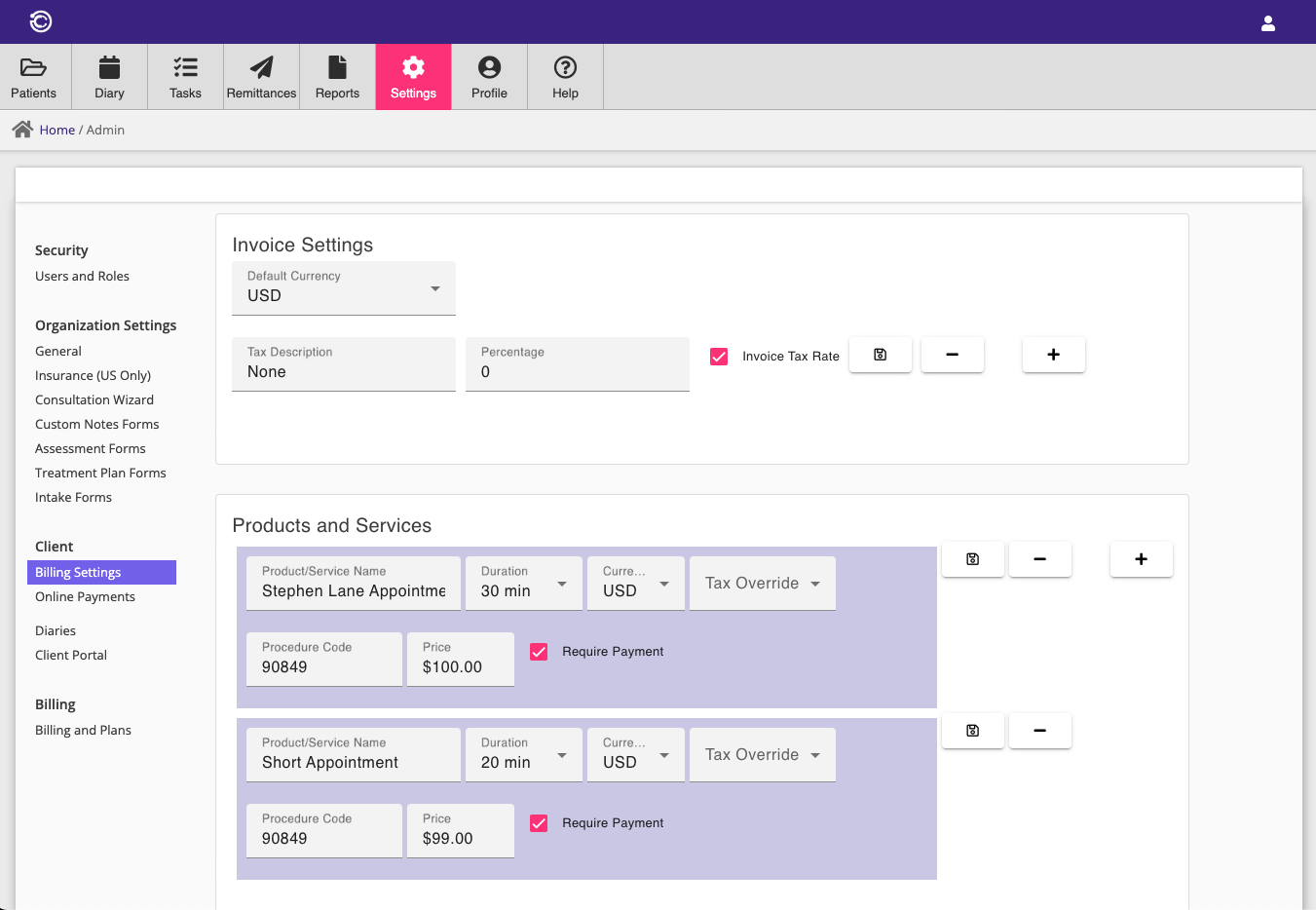
Billing settings are used to set up default settings and product/service details used for billing, insurance, online booking and online payments.
Invoice settings are used to apply default tax rates and currency to invoices. The products section allows you to define products or services that can be added to invoices, as well as services that can be made available for online booking.
If an invoice is submitted to our insurance clearinghouse (Claim.MD) for reimbursement, the products or services on the invoice will be submitted as charge items on the insurance claim. It is important to set a valid procedure code on each product/service so that the claim is not rejected.
Deposits
For a service you sell online, you can require just a deposit at booking time instead of full payment upfront — useful if you want to secure the appointment without charging the client's card for the full amount until the visit.
Expand a product or service in Billing Settings and enter a Deposit Amount. This option only appears once online payments are enabled (see Online Payments below).
When a client books and pays the deposit online, Consultationly records the deposit as a payment against the invoice and leaves the remaining amount as an outstanding balance, collected however you normally take payment in person (cash, card, etc.) — see Payments. The client's receipt shows the payment breakdown (e.g. Deposit $50, Balance Due $50), and once the balance is paid off the invoice's receipt updates to show both payments in full.
If no Deposit Amount is set, online bookings for that service are charged in full at booking time as before.
Online Payments
You can enable your Consultationly account to accept online payments, facilitated by our online payment partner Stripe.
Complete Stripe onboarding by entering the required information in the Account section. Once complete, your account will be able to receive payments for online bookings, or you can take online payments directly from your clients in the billing screen.
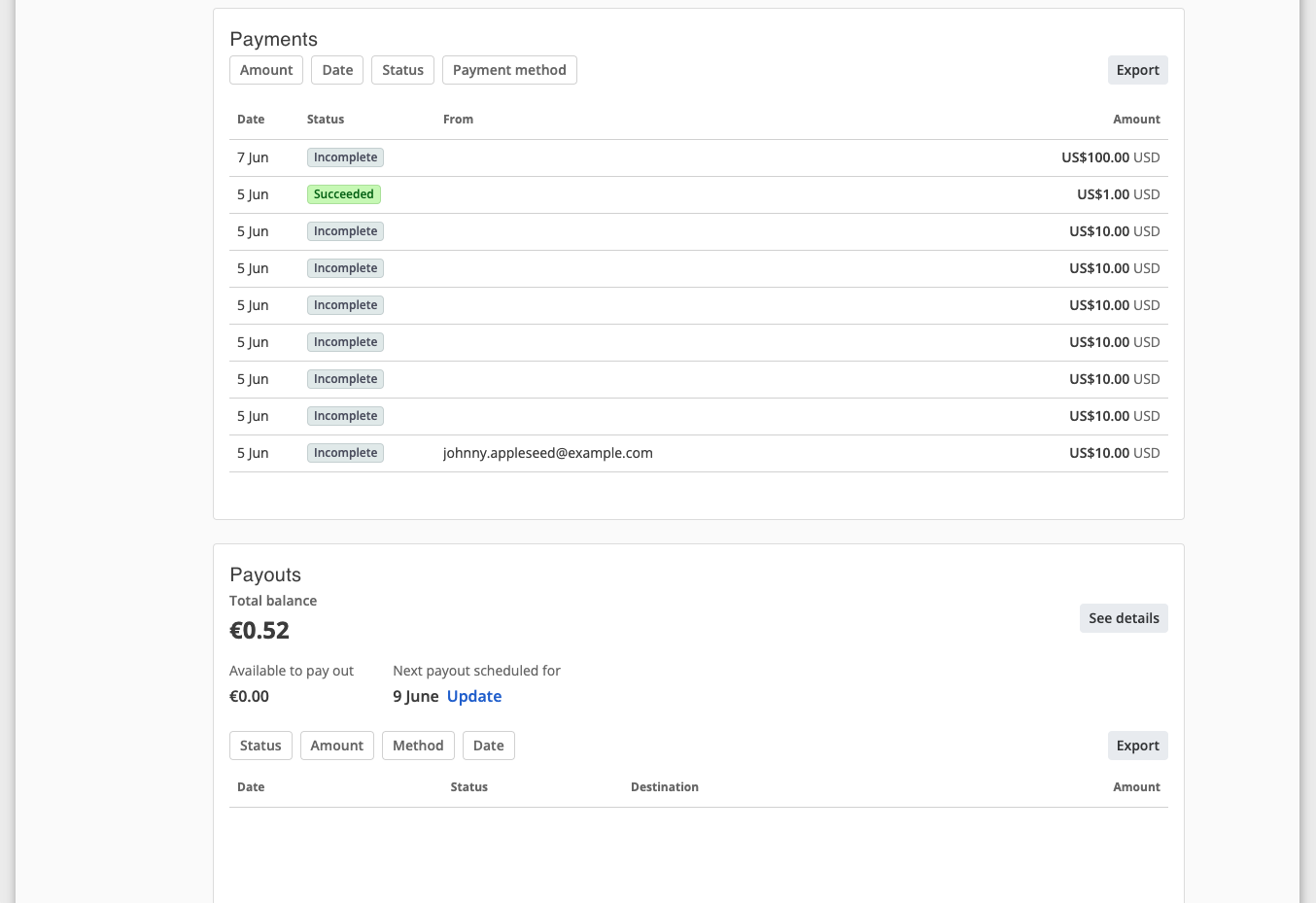
You can see details of payments received in the Payments section, as well as scheduled Payouts to your nominated payout bank account.

Account & Plans
The billing and plans section contains details about your active plan and payment details, allowing account holders to change plans and add additional users.
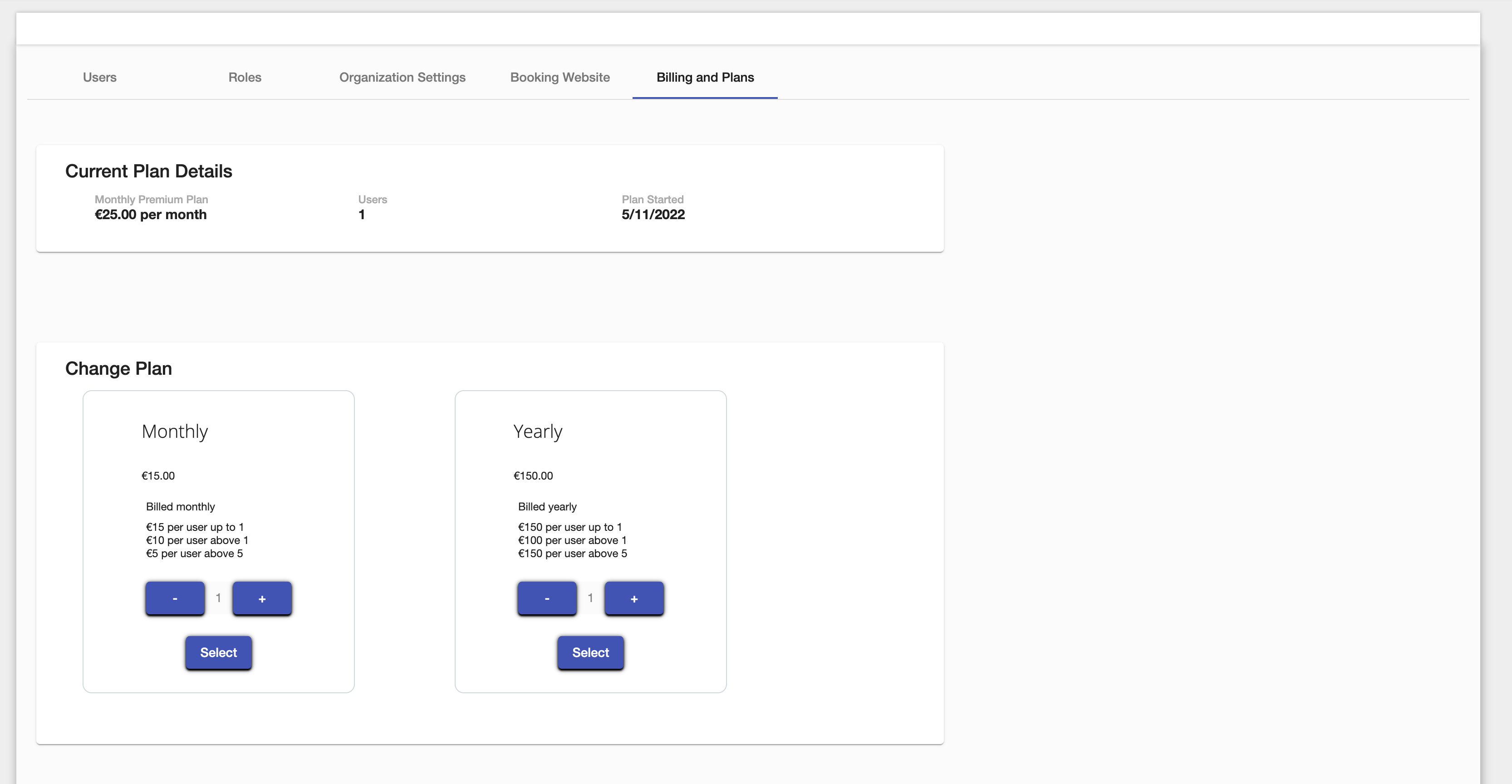
The number of users on existing plans can be adjusted upwards or downwards, or the plan can be changed from yearly to monthly. Trial users will automatically be assigned a monthly plan with one user, free of charge for 30 days.
Users can view, edit, or add additional payment methods and set a default for billing purposes. The invoice panel shows upcoming and past invoices.
A subscription to Consultationly can be cancelled at any time by clicking Cancel Subscription. Once cancelled, you can still log in to Consultationly but will be prompted to activate a new subscription.
If a subscription expires due to a failed payment or no valid payment method on the account, you will be prompted to add a payment method in the Billing and Plans section.
Any billing or payment queries can be directed to info@consultationly.com.
Free Secretarial Users
Secretarial role users don't need a paid seat. Add as many as you like under Admin Settings → Security → Users — only Practitioner and Admin users count toward your subscription's user quantity.
If you try to add a Practitioner or Admin user (or promote an existing Secretarial user to one of those roles) while you're already at your seat limit, you'll be asked to increase your plan's user quantity above before you can continue. See Roles for what each role can access.
AI Assistant Tokens
Each subscription includes $5 of AI token usage per billing period. This covers the cost of calls made to the AI Assistant during consultations and resets automatically on each subscription renewal.
The AI Assistant Tokens section (visible in Settings → Admin → Account) shows:
- How much of the allowance has been used this period
- The date the allowance resets
- An option to purchase a $5 top-up if needed
Top-ups are one-time payments processed via Stripe and take effect immediately. They apply only to the current billing period and do not carry over.
For most practices the included allowance is sufficient. High-volume practices or those processing long session transcripts regularly may occasionally need a top-up.