Note Access Log
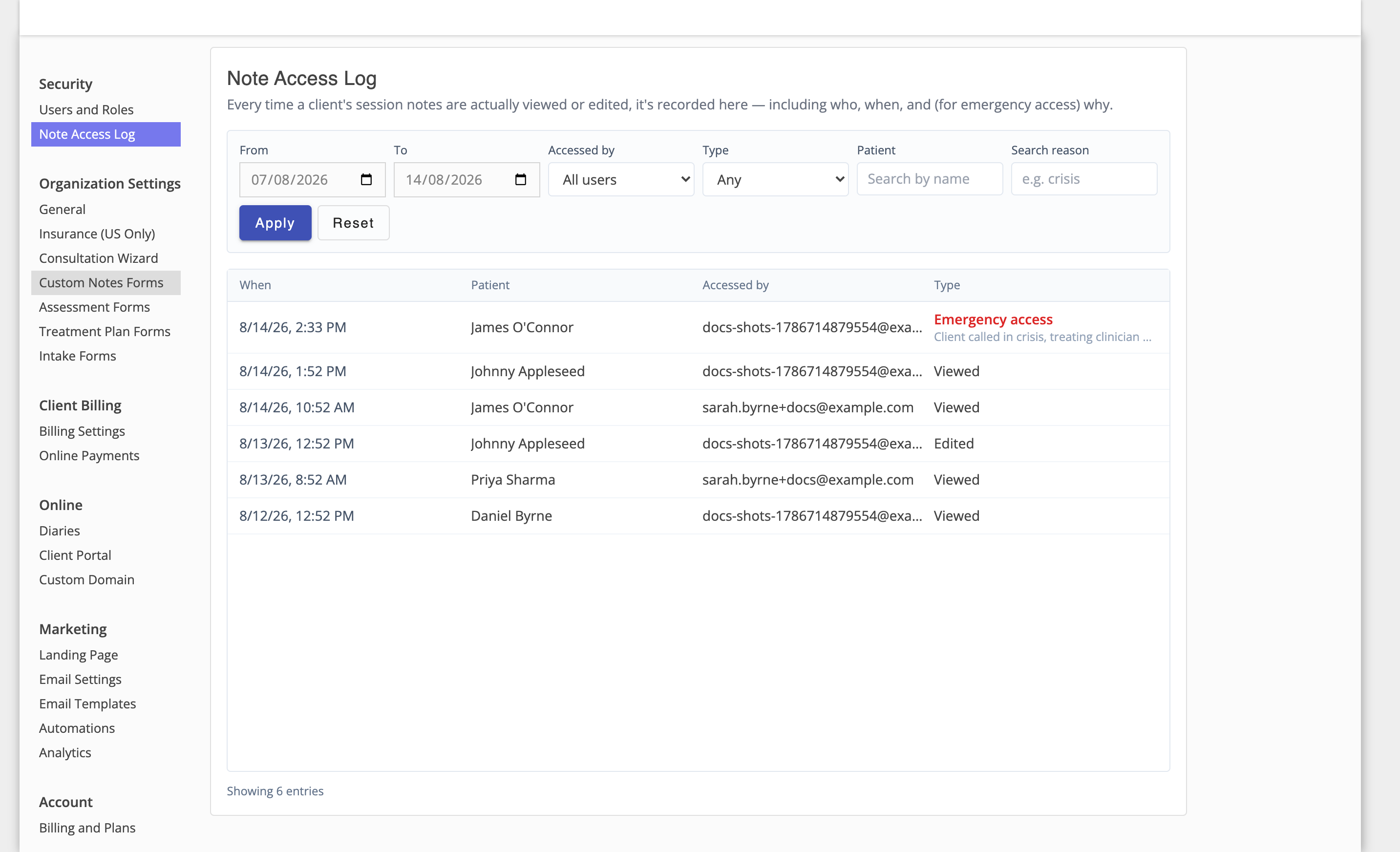
The Note Access Log is a full audit trail of every time a client's session notes were viewed, edited, or read via emergency access. It's available to Admin users under Admin Settings → Security → Note Access Log — even for an admin who can't otherwise read note content themselves, since this log is what makes note sharing accountable.
Filtering
The log defaults to the last 7 days. Narrow or widen it using:
- From / To — a date range.
- Accessed by — a specific user.
- Type — Viewed, Edited, or Emergency access.
- Patient — search by client name.
- Search reason — free-text search of the reason given for an emergency access event. Since only emergency-access events have a reason, this filter only ever matches those rows.
Click Apply to run your filters, or Reset to return to the default 7-day view.
Viewing an Entry
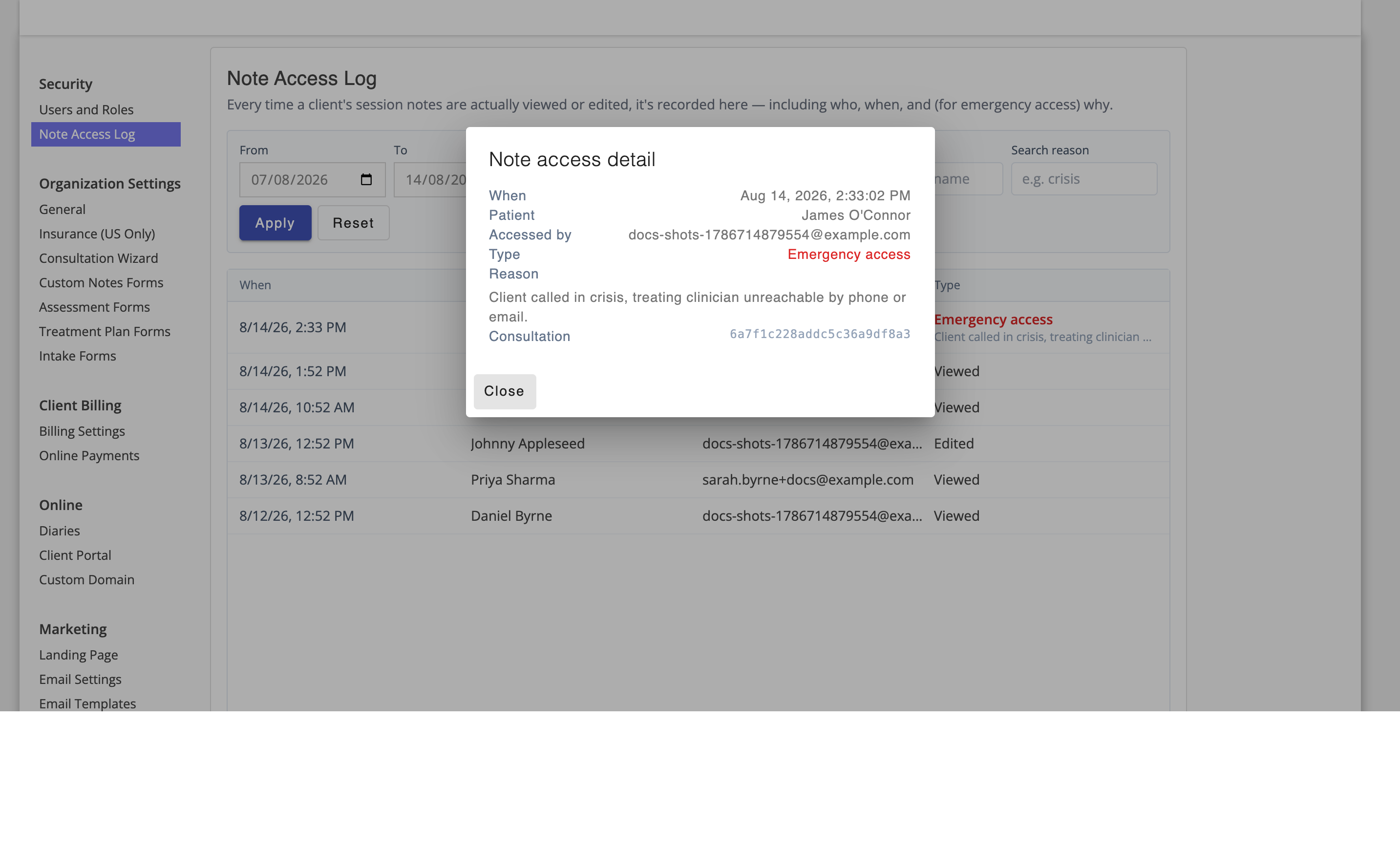
Click any row to see its full detail, including the complete reason given for an emergency access event.
If there are more entries in your selected range than are currently shown, click Load more to fetch the next page.